GitLab CE vs. Premium: What a Self-Managed Team Actually Gains
In this article · 8 min read
Key takeaways
- GitLab CE is not a trial version. Self-managed, it covers issues, boards, milestones, CI/CD with your own runners, and wikis, for as long as you want.
- Premium is not an "update" of CE. It is the same server, the same projects and the same issues with an EE package and a license; the additions are planning across projects, review control and traceability.
- The 400 compute minutes and 10 GiB storage in GitLab's "Free plan" column are GitLab.com namespace quotas. On our own instance they do not exist.
- Guest is the role that pays off for stakeholders: plans and issues visible, code not. It still uses a seat.
- We would buy Premium for what is expensive to rebuild: approval gates and an audit trail. Views that encode our own process we build ourselves.
What we run, and what CE really covers
We run GitLab Community Edition 19.5.x on our own server at SPL Tele, without a paid license. The IT team plans its work in it: issues, labels, milestones for sprints, boards for the current state. Code, pipelines, wikis and the container registry sit in the same instance. We are evaluating whether Premium earns a place on that server.
That is not a compromise setup. According to the current documentation, the base sits in the Free tier:
- Issues, labels and milestones, including group milestones, are Free.
- Issue boards are Free as well: multiple boards per project and a single group board.
- Merge request approvals exist in Free, but they are optional and do not stop a merge.
- CI/CD and runners are self-managed from the start. Compute quotas on instance runners are a setting an administrator can enable, not a vendor limit.
What CE does not have: epics, iterations, roadmaps, burndown and burnup charts, required approval rules, merge trains, push rules, protected environments, group and project audit event reports, and GitLab Duo. On our instance those API endpoints answer 404, and the documentation places the features in Premium or Ultimate. Two signals, one result.
The 400-minute limit does not apply to a self-managed team
CE vs. Premium, both self-managed
| Capability | CE (self-managed) | Premium (self-managed) |
|---|---|---|
| Issues, labels, milestones | Yes, group milestones included | Same |
| Issue boards | Multiple project boards, one group board, no configurable boards or assignee lists | Multiple group boards, configurable boards, assignee, milestone, iteration and status lists, WIP limits, epic swimlanes |
| Planning across projects | Milestones only; no epics, no roadmap, no iterations | Epics at group level, roadmap timeline, iterations with cadence and rollover |
| Reviews and governance | Optional approvals from Developer up; protected branches | Required approval rules, CODEOWNERS rules, group and instance approval settings, merge trains, push rules, protected environments |
| CI/CD | Pipelines and your own runners, no vendor minute quota by default | Same pipelines, plus merge trains; minute quotas still do not apply to self-managed |
| Security and compliance | Audit events exist, but only successful sign-in events; no group or project event reports | Group and project audit event reports |
| GitLab Duo | Not available | Add-on on top of Premium or Ultimate, consumed through GitLab Credits |
| Support | Community, documentation, forum | Priority support (vendor material, not product documentation) |
| Operations and upgrade | Linux package on your server | Same package, same upgrade path, license added; on expiry some features are locked |
Roles and permissions: Guest is the one that matters
GitLab ships the default roles Guest, Planner, Reporter, Developer, Maintainer and Owner. From Guest to Owner the ladder is cumulative: each role includes most of what the one below allows. Planner is specialized for planning work and does not inherit everything. Minimal Access, a role for limited group visibility, is Premium and Ultimate only.
Guest is the interesting one for a company that runs projects for other departments. The documented scope splits cleanly in two:
Guest can
- view and comment on issues and epics
- view plans, blockers and progress indicators
- create and link new work items
- see high-level project information such as analytics and incident reports
Guest cannot
- view code or access the repository
- modify data they did not create
- create projects, groups or personal snippets
The role applies to private and internal projects.
For us that maps to a real gap: PMO and management want to follow a plan and leave a comment, not read the repository. Guest does exactly that, and it keeps the code out of the conversation.
One caveat for budget questions: in Free and Premium a Guest consumes a license seat; only Ultimate exempts it. Guest is therefore cheaper than a Developer seat, but it is not free.
The five Premium features we would switch on first
Epics
Today our planning stops at project and milestone level. As soon as one initiative touches several projects, we have no parent object and no shared progress. Epics at group level fix that; nested epics are Ultimate-only and we do not need them.
Roadmap
A timeline over epics and milestones is what management asks for first. Today we assemble that view outside GitLab and then maintain it twice.
Iterations
Our sprints are milestones. Iterations add a cadence with automatic scheduling and rollover for unfinished issues, plus an iteration report with burndown and burnup per timebox. Cadence and rollover turn sprint bookkeeping into a setting instead of a manual routine.
Required approvals, later merge trains
Optional approvals are not a gate. Premium adds required approval rules, CODEOWNERS rules, and group or instance-wide settings. Merge trains then protect a busy default branch from two green pipelines that break each other.
Audit events
In Free, audit events cover successful sign-ins only. Group and project event reports answer what auditors actually ask: who changed a membership or a permission level, and when.
What we would not buy first: push rules, protected environments and GitLab Duo. Push rules and protected environments start to pay off once external contributors push regularly and production deploys need an approval gate. Duo is a separate add-on billed through GitLab Credits; we would evaluate it after the planning and governance features prove themselves.
The upgrade path: same server, same data
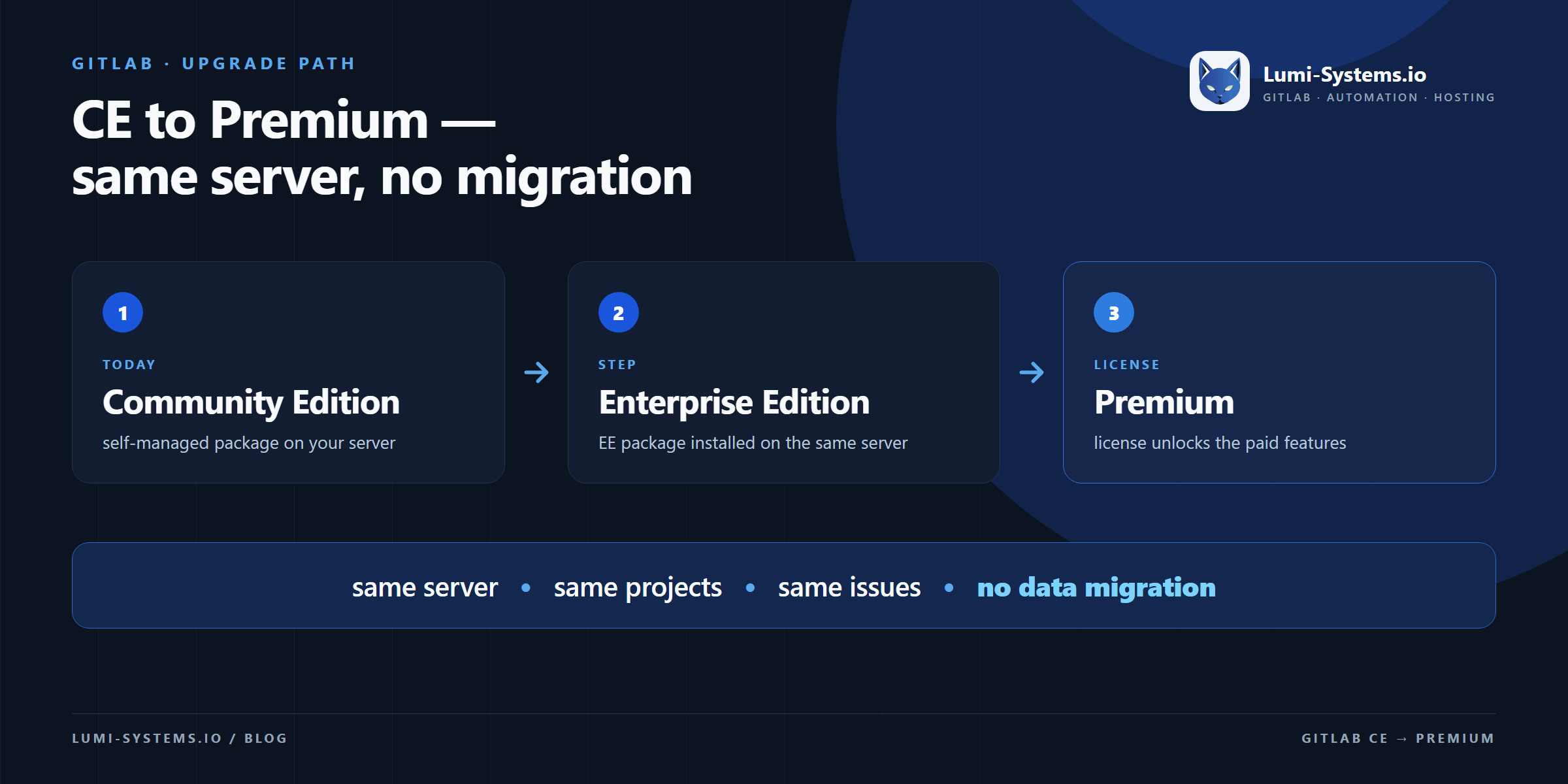
The important part first: this is a package change plus a license, not a migration. No new server, no export and import, no project re-creation.
The documented path for a Linux package installation:
Snapshot the instance before touching packages.
Add the EE repository and install the package. It removes gitlab-ce automatically; same version recommended.
Run gitlab-ctl reconfigure. Projects, users and pipelines stay in place.
Paste the 24-character activation code under Admin › Subscription.
Projects, issues, merge requests, pipelines and users stay where they are, because the database and the repositories are untouched by the package swap. Until a license is activated, an EE installation runs with Free features only, so the conversion alone changes nothing for users.
Three notes from the documentation. Reverting from EE to CE is possible, but GitLab warns it can cause database problems, so plan the move in one direction. The license is stored in the database and replicated, so one activation covers a scaled setup. When a license expires, some functionality is locked, so renewal belongs in the calendar before the expiry date.
License cost versus building it yourself
A Premium license buys primitives that are genuinely expensive to rebuild: a compliance-grade audit log, enforced approval gates, and a planning data model for epics and roadmaps. Rebuilding those on top of CE would mean writing a parallel source of truth and then defending it to an auditor. That is the wrong trade.
But a license does not answer every question our management asks. Premium gives epics and a roadmap; it does not give a capacity plan per person that knows about working time models, holidays and absences, and it does not give a portfolio cockpit that reads our labels and estimates and turns them into a delivery view. Those views encode how SPL Tele works, so we built them ourselves, read-only on top of the CE API.
That is the decision rule we use: buy the primitives that carry governance value and are hard to replicate, build the views that encode your own process.
Both builds follow the Application Lifecycle and Engineering Model we work by, and we wrote them up separately, including what they do not solve: our sprint planning view for GitLab CE and our PM suite as a management cockpit.
We stay on CE until cross-project planning and audit questions cost more than the seats. When they do, the package swap above is a maintenance window, not a project.
Sources
GitLab features and tiers checked against the current product documentation, retrieved 29 Oct 2026.
Our own setup: SPL Tele runs GitLab CE self-managed for issues and sprint planning in the IT team. Where documentation and observed API behavior differ, we follow the documentation and note the observation.